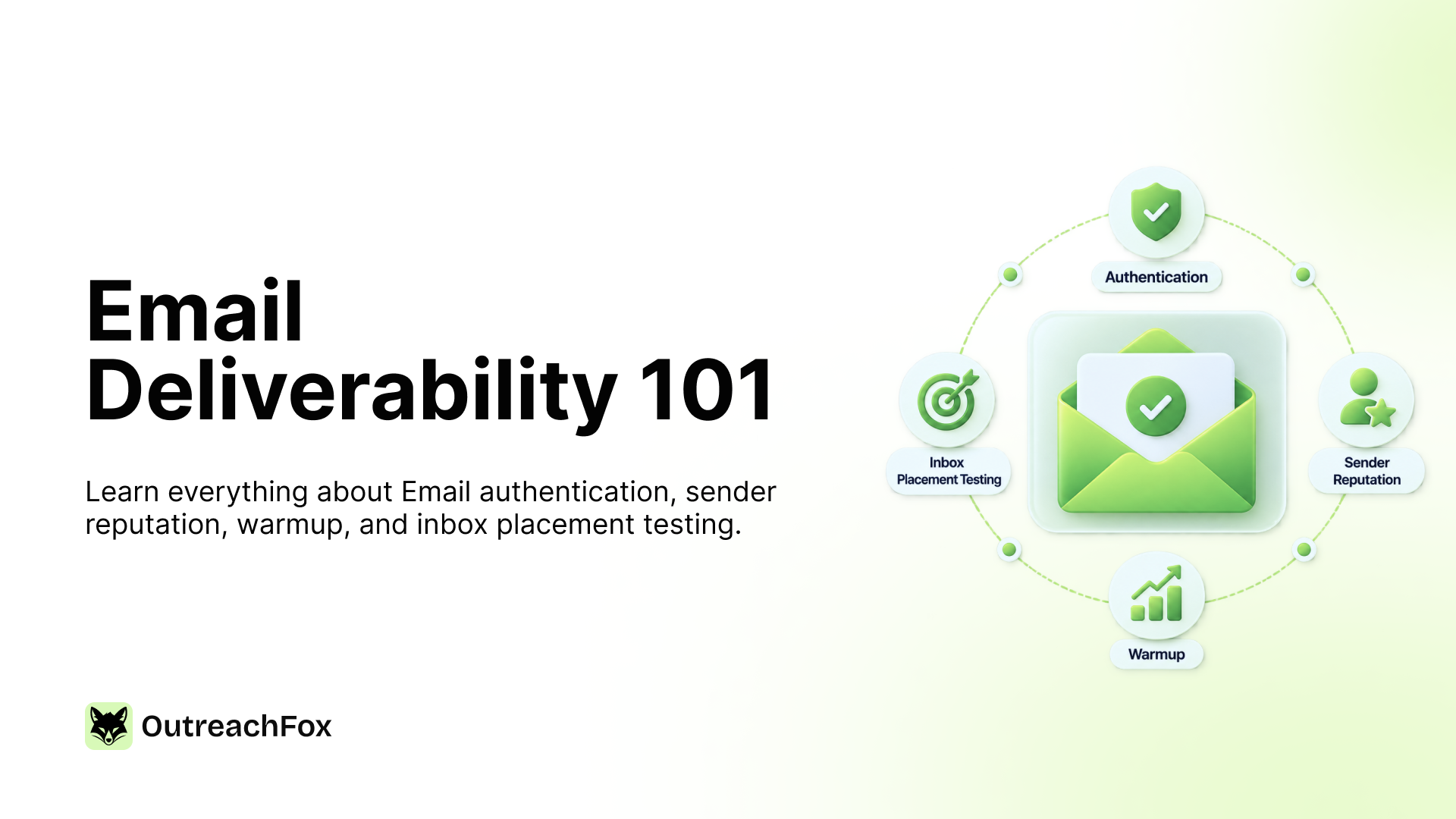
Email deliverability in 2026 is no longer optional. Gmail, Yahoo, and Microsoft now permanently reject non-compliant bulk mail, and DMARCbis has raised the authentication bar even higher. This guide covers what actually gets you into the inbox: proper SPF/DKIM/DMARC setup, sender reputation and bounce management, a real warmup ramp, and provider-specific placement testing, with the 2026 benchmarks to check yourself against.
- Authentication (SPF, DKIM, DMARC) is now mandatory. Gmail, Yahoo, and Microsoft all permanently reject non-compliant mail as of late 2025.
- Keep spam complaints under 0.10% and bounce rate under 2%. These are the real safe targets, not the published enforcement ceilings.
- New domains need 3 to 6 weeks of warmup before scaling cold volume, and warmup should keep running even after cold sending starts.
- Test inbox placement separately for Gmail and Microsoft. Delivered and actually placed in the inbox are not the same thing.
You can write a perfect subject line, a perfectly personalized opener, and a clean, well-timed sequence, and still watch your reply rate flatline. Not because the message was bad. Because it never reached an inbox.
That's the part most cold email advice skips. Copy gets the attention. Deliverability decides whether the copy ever gets read. And in 2026, deliverability is less forgiving than it's ever been.
This guide is the definitive reference for getting cold email into the inbox, including authentication, warmup, Google Postmaster Tools, sender reputation, bounce management, and inbox placement testing, all in one place, current as of this year's enforcement changes from Gmail, Yahoo, and Microsoft.
Why deliverability is harder in 2026 than it was two years ago
The numbers tell the story. Average inbox placement across providers now sits around 83–87%, and it's trending down, not up. Microsoft's Office 365 placement rate alone fell from 77.4% to 50.7% year over year. Gmail filters roughly 15 billion spam messages a day. None of that is a coincidence — it's the result of a deliberate tightening cycle that started in February 2024 and accelerated hard through 2025 and into 2026.
Here's the enforcement timeline that matters for anyone sending cold email:
- February 2024 — Google and Yahoo introduced bulk sender requirements (5,000+ emails/day to personal accounts): mandatory SPF, DKIM, and DMARC, a spam complaint rate under 0.3%, and one-click unsubscribe (RFC 8058) for marketing mail.
- May 2025 — Microsoft rolled out equivalent authentication requirements for Outlook.com, Hotmail, and Live.com addresses.
- November 2025 — Google moved from temporary deferrals (421 errors) to permanent rejections for non-compliant traffic. Microsoft followed with hard 550 5.7.515 rejections that skip Junk entirely.
- May 2026 — DMARCbis (RFC 9989) was published, elevating DMARC to a formal Proposed Standard and tightening alignment rules. It doesn't add new bulk-sender requirements on its own, but it raises the bar for what "properly configured" DMARC means going forward.
The practical upshot: a compliant setup used to be optional insurance. Now it's the floor. Spam complaint thresholds that used to be aspirational — staying under 0.10% — are now what stable senders treat as the real ceiling, since the published limit of 0.30% is where enforcement kicks in, not where problems start.
See Google Postmaster Domain Reputation: What Ratings Mean for how these thresholds map to what you'll actually see in your dashboard.
What "email deliverability" actually means
Deliverability isn't one metric — it's the outcome of four things working together:
- Delivery — did the receiving server accept the message at all, or bounce it?
- Authentication — can the receiving server cryptographically confirm you are who you say you are?
- Reputation — does the receiving server's model of your sending domain and IP trust you, based on history?
- Placement — assuming all of the above check out, does the message land in the primary inbox, Promotions, or spam?
A message can be "delivered" (SMTP 250 OK) and still never be seen, because it landed in spam. That gap — between delivered and placed — is where most cold email programs quietly die. It's also why "delivered" is a misleading success metric on its own; open rate proxies for placement far better, and even that's getting less reliable as Apple Mail Privacy Protection and similar features distort open tracking.
Foundation: Email authentication (SPF, DKIM, DMARC)
Authentication is no longer a best practice — as of 2026, it is a hard requirement for reaching Gmail, Yahoo, and Outlook inboxes at any real volume. Unauthenticated bulk mail is now being redirected to spam by default across major providers, not just penalized.
SPF (Sender Policy Framework)
SPF is a DNS TXT record that lists the servers authorized to send mail on your domain's behalf. When a receiving server gets your message, it checks whether the sending IP appears in that list. A missing or misconfigured SPF record is one of the most common causes of authentication failure — and one of the easiest to fix, since it's a single DNS record.
Common failure mode: teams add a new sending tool (a new ESP, a new outreach platform) and forget to add that provider's servers to their SPF record, or they exceed SPF's 10-DNS-lookup limit by stacking too many include statements. Both cause silent authentication failures.
DKIM (DomainKeys Identified Mail)
DKIM attaches a cryptographic signature to each outgoing message, generated with a private key and verified by the receiving server against a public key published in your DNS. Unlike SPF, DKIM survives forwarding — the signature travels with the message — which makes it the more resilient of the two authentication layers.
DMARC (Domain-based Message Authentication, Reporting & Conformance)
DMARC ties SPF and DKIM together and tells receiving servers what to do when a message fails both: do nothing (p=none), send it to spam (p=quarantine), or reject it outright (p=reject). It also gives you visibility — DMARC aggregate reports show you who's sending mail as your domain, which is how most teams first discover spoofing attempts or misconfigured third-party tools.
The 2026 requirement, precisely: bulk senders need a published DMARC record with your FROM domain matching the domain in your SPF and/or DKIM headers (this is "alignment," and it's the part teams most often get wrong). p=none is currently the accepted floor for bulk-sender compliance, but with DMARCbis raising the bar on alignment strictness, p=quarantine is worth treating as the realistic target rather than a nice-to-have.
Authentication checklist:
- SPF record published, under the 10-lookup limit, includes every tool that sends on your behalf
- DKIM configured and signing on every sending domain and subdomain you use
- DMARC record published with
p=noneminimum, alignment verified against both SPF and DKIM - DMARC aggregate reports monitored monthly for unauthorized senders
- Reverse DNS (PTR record) set up for any dedicated sending IP
For a deeper walkthrough of setup order and DNS syntax, see Google Postmaster Tools Setup Guide for Cold Email.
Google Postmaster Tools: setup and what the ratings mean
If you send any meaningful volume to Gmail addresses, Google Postmaster Tools is the closest thing to ground truth you'll get. It's free, and it's the only place Google surfaces domain reputation, IP reputation, spam rate, and authentication success rate directly from the source.
Setting it up
- Verify domain ownership via a DNS TXT record (same mechanism as most search console verification).
- Wait for volume — Postmaster Tools only populates data once you're sending enough mail to Gmail addresses daily to generate a statistically meaningful sample. Below that threshold, panels show "not enough data."
- Check back daily for the first two weeks of any new domain or major volume change, then weekly once stable.
Reading the reputation categories
Postmaster Tools reports domain and IP reputation on a scale: High, Medium, Low, and Bad. Medium is the practical minimum for reliable inbox placement — Low or Bad ratings correlate directly with increased spam filtering and, at Bad, outright blocking. A slide from High to Medium is a warning sign worth investigating immediately, not a metric to check monthly.
The spam rate panel is the one to watch most closely against the 2026 enforcement thresholds: Google's published ceiling is 0.30%, but the safer working target — the number that keeps you clear of enforcement action with margin — is under 0.10%.
Full setup walkthrough with screenshots: Google Postmaster Tools Setup Guide for Cold Email. For what each reputation tier means for your sending strategy: Google Postmaster Domain Reputation: What Ratings Mean.
Sender reputation and the bounce rate connection
Reputation is cumulative and it's earned per-domain and per-IP, which is exactly why shared infrastructure is risky: reputation isn't just about your own sending behavior, it's about everyone sharing that IP or warmup pool with you.
Bounce rate is one of the clearest reputation signals receiving servers use, and it splits into two categories that need different handling:
Hard bounces — permanent failures (invalid address, domain doesn't exist). These should be suppressed immediately and never retried. Every hard bounce you don't suppress is a repeated signal to the receiving server that your list quality is poor.
Soft bounces — temporary failures (mailbox full, server temporarily unavailable). These can be retried, but with a cap — repeated retries against a persistently failing address eventually behave like a hard bounce in the eyes of the receiving server's reputation model.
The target: keep bounce rate under 2%, and treat anything above 3% as an active fire — a bounce spike at that level can undo weeks of warmup progress, because it moves your domain reputation faster than warmup can rebuild it.
This is also where enrichment quality and deliverability intersect directly: pre-send verification, not verification-weeks-in-advance, is what actually protects bounce rate, because even clean lists decay in the gap between when they were verified and when they're sent.
Related: Why Pre-Send Verification Cuts Lead List Decay and How Waterfall Enrichment Reduces Email Bounces.
Agencies and shared infrastructure: the reputation partitioning problem
If you're an agency running multiple client accounts, reputation isolation isn't optional — one client's aggressive list or bad campaign can damage every other client sharing the same domain, mailbox, IP, or provider account. True isolation means separating all four layers per client, not just spinning up separate sending profiles on shared infrastructure underneath.
See How Agencies Partition Sender Reputation for the full breakdown of what "isolated" actually needs to mean structurally.
Warmup: the protocol and the 2026 timeline
Warmup exists because sudden sending volume from a new or dormant domain is itself a spam signal. Receiving servers evaluate the shape of your sending pattern — not just its content — and a domain that goes from zero to 200 emails/day overnight looks nothing like a legitimate sender.
The current best-practice ramp
- Weeks 1–2: 5–10 emails/day, increasing by roughly 3–5/day as engagement holds
- Weeks 3–4: ramp toward 30–50 emails/day per mailbox
- Total ramp period: 3–4 weeks minimum for any new domain or mailbox; 4–6 weeks for brand-new domains with aggressive volume targets
- Start cold outreach no earlier than week 3, and only once inbox placement testing shows above 85%
The rule most teams get wrong
Warmup volume and cold send volume share the same daily ceiling — they don't stack. If your safe per-inbox ceiling is 50 emails/day and you're running 25 warmup sends, you have 25 cold-send slots left, not 50. Teams that treat warmup and cold volume as additive routinely blow past their real safe ceiling without realizing it.
Equally important: don't turn warmup off once cold sending starts. Keep it running at roughly 20% of total daily volume indefinitely. The positive engagement signal from warmup activity offsets the neutral-to-negative signal of cold outreach, which has no guaranteed engagement. Turning warmup off the moment a campaign launches is one of the most common ways sending mailboxes lose reputation gains within weeks of establishing them.
Full protocol with day-by-day breakdown: Email Warmup Best Practices for Cold Outreach.
Shared vs. private warmup pools
This is where infrastructure design and deliverability strategy converge directly. On a shared warmup pool, your domain's reputation is partially determined by the behavior of every other sender in that pool — a stranger's spam complaint or blacklist hit can drag your brand-new domain down before you've sent a single cold email. Isolated, private infrastructure removes that variable entirely: your inbox placement depends only on your own sending behavior.
See Pre-Warmed Mailboxes in Shared vs Private Setup and Private IPs vs Shared Pools During Spikes for the tradeoffs in more detail.
Testing inbox placement, not just delivery
"Delivered" and "in the inbox" are not the same claim, and the gap between them is where a lot of campaigns fail invisibly. Inbox placement testing closes that gap by using seed accounts across providers to check where a message actually lands — inbox, Promotions/spam, or missing entirely.
The mistake most teams make: testing Google and Microsoft together with a single seed list and a single interpretation framework. Each provider scores mail differently, uses different signals, and requires separate seed lists and separate reading of results. A blended test score can mask a placement problem that's severe on one provider and fine on the other.
A minimal testing framework:
- Maintain separate seed lists for Gmail/Google Workspace and Outlook/Microsoft 365
- Send test messages that mirror your actual campaign content and cadence — not a stripped-down "test" email
- Check placement (inbox vs. spam vs. missing) within the first hour, then again at 24 hours, since provider filtering can shift placement retroactively
- If placement drops below 85%, pause volume increases and investigate before scaling further
Full testing methodology by provider: Inbox Placement Testing for Google and Microsoft.
Infrastructure: the layer under all of this
Everything above — authentication, warmup, reputation, testing — assumes you control the sending environment those practices operate on. That assumption breaks down on shared infrastructure, where your deliverability outcomes are partially decided by senders you've never met.
This is the argument for infrastructure ownership as a deliverability strategy, not just a product feature: dedicated campaign IPs, walled-off sending environments per account, and provider-matched routing (Gmail leads sent from Gmail-native mailboxes, Outlook leads from Microsoft infrastructure) remove entire categories of risk that no amount of warmup discipline can fully compensate for on shared pools.
This is covered in depth in our companion guide: Email Infrastructure Ownership: The Complete Guide.
When placement is already low: troubleshooting
Everything above is prevention. If you're already seeing low inbox placement — high delivery, low opens — the fix order matters, because working the wrong layer first wastes time while reputation keeps degrading. Start with authentication (fastest to verify, most common root cause), then check bounce rate and recent list changes, then review sending volume against your current warmup stage, then re-test placement by provider before touching content or copy.
The full 11-cause breakdown with the correct fix order: Low Inbox Placement: 11 Causes and Fixes. For fast, tactical fixes specifically: Why Emails Go to Spam: Instant Fixes and Long-Term Solutions.
The 2026 email deliverability checklist
Authentication
- SPF, DKIM, and DMARC published and passing alignment
- DMARC at
p=noneminimum,p=quarantineas the realistic target given DMARCbis - Reverse DNS configured on any dedicated IP
Reputation and monitoring
- Google Postmaster Tools verified and checked weekly (daily during ramp)
- Domain/IP reputation at Medium or above
- Spam complaint rate under 0.10% (working target; 0.30% is the enforcement ceiling)
- Bounce rate under 2%, hard bounces suppressed immediately
Warmup
- 3–6 week ramp completed before scaling cold volume
- Warmup and cold volume tracked against the same daily ceiling, not stacked
- Warmup kept running at ~20% of volume after cold sending starts
Testing and infrastructure
- Inbox placement tested separately by provider, monthly minimum
- Placement above 85% before any volume increase
- Sending infrastructure isolated per domain/account, not shared across unrelated senders
Frequently asked questions
What's a good email deliverability rate in 2026?+
Industry-wide average inbox placement sits around 83–87%, and it's been trending downward as providers tighten enforcement. For cold outreach specifically, treat anything below 85% as a signal to pause volume increases and investigate rather than a rate to accept as normal.
Do I need DMARC if I'm not a "bulk sender"?+
Technically the 5,000+ emails/day threshold defines bulk-sender enforcement, but most receiving servers now apply authentication scrutiny well below that volume, and unauthenticated mail is increasingly filtered by default regardless of your daily count. Set up DMARC before you need it, not after a deliverability problem forces the issue.
How long does warmup actually take?+
3–4 weeks minimum for any new domain or mailbox, 4–6 weeks for brand-new domains with aggressive volume targets. There's no reliable shortcut, as providers are evaluating sending pattern consistency over time, which by definition can't be compressed.
Can I skip Postmaster Tools if I use a warmup or outreach platform's built-in dashboard?+
Most platform dashboards summarize signals; Postmaster Tools is Google's own reporting, direct from the source, for Gmail-bound mail specifically. They're complementary, not redundant, as use both if you're sending meaningful Gmail volume.